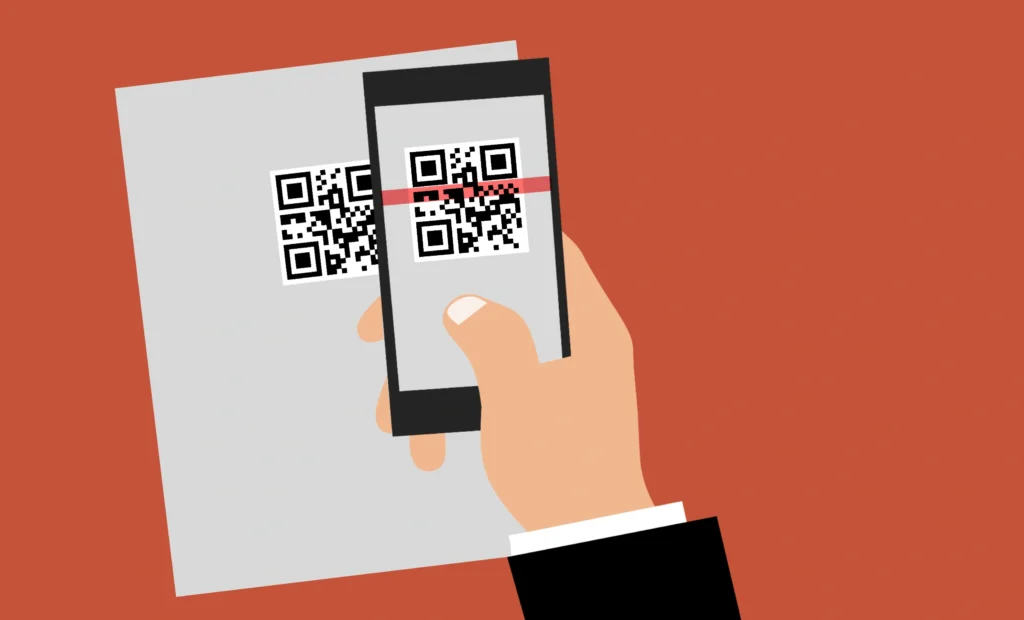
In the modern digital landscape, the Quick Response (QR) code has evolved from a simple inventory tracking tool into a sophisticated bridge between the physical and digital worlds. From contactless menus to secure payment gateways, these pixelated squares are everywhere. But have you ever wondered what actually happens when you point your smartphone camera at one?
Understanding the mechanics behind QR code readers is essential, especially when using advanced platforms like Pro QR Generator to create highly customized, secure, and functional codes. This guide dives deep into the technical architecture, decoding processes, and the balance between aesthetic customization and scannability.
1. The Visual Language: The Anatomy of a QR Code
To understand how a reader works, we first must understand the “map” it is reading. A QR code is not just a random jumble of dots; it is a highly structured data matrix. When you use Pro QR Generator, you can customize these elements, but their core function remains the same.
The Key Components
- Position Detection Markers (The Large Squares): Located at three corners, these allow the reader to recognize the QR code and determine its orientation, even if it is scanned upside down or at an angle.
- Alignment Patterns: These smaller squares help the reader correct for any distortion or “skew” caused by the camera angle.
- Timing Patterns: These are the dashed lines connecting the position markers, helping the reader determine the size of the data matrix.
- Version Information: This identifies which of the 40 versions of QR codes is being used.
- Format Information: This contains the error correction level and the mask pattern used.
- Data and Error Correction Keys: This is the “meat” of the code, where your URL, WhatsApp link, or Vcard is stored.
2. The Scanning Process: From Image to Action
When you open a scanner, the software undergoes a lightning-fast three-step process to translate a visual image into digital data.
Step 1: Image Pre-processing
The camera captures a frame. The software then converts the image into high-contrast black and white (binarization). It looks for the three Position Detection Markers. At this stage, the reader determines the boundaries of the code.
Step 2: Decoding the Matrix
The reader uses the Timing Patterns to build a grid over the pixels. It then reads the Format Information to understand which “mask” was applied. Masking is a process that ensures the code doesn’t have patterns that might confuse a reader (like a big block of all-white pixels). The reader “unmasks” the data to reveal the actual bits ($0$s and $1$s).
Step 3: Error Correction and Data Extraction
This is where the magic of “Reed-Solomon Error Correction” happens. Even if the code is scratched, dirty, or covered by a logo (as seen in the Pro QR Generator examples), the reader can still reconstruct the data.
3. The Power of Error Correction (Level H)
One of the standout features of Pro QR Generator is its use of Error Correction Level H. But what does that actually mean for the scanner?
QR codes use the Reed-Solomon algorithm to add redundant data. There are four levels:
- Level L: Recovers up to 7% of data.
- Level M: Recovers up to 15% of data.
- Level Q: Recovers up to 25% of data.
- Level H: Recovers up to 30% of data.
Because Pro QR Generator utilizes Level H, users can safely add a custom logo to the center of the QR code without breaking it. The reader simply treats the logo as “damaged” or “missing” data and uses the redundant bits to fill in the blanks.
4. Designing for Scanners: Customization vs. Readability
Modern QR code readers are incredibly resilient, but they still rely on contrast and geometry. Pro QR Generator allows for unprecedented customization while maintaining technical integrity.
Customizing the Drawing (Modules)
Standard QR codes use squares. However, Pro QR Generator offers over 21 drawing types, including:
- Soft Shapes: Rounded, Smooth, Soft Square, Soft Dot, and Circle Outline.
- Artistic Styles: Mosaic, Crystal, Sparkle, Star, and Fluid.
- Technical Styles: Pixel, Tech, Sharp, and Retro.
While these change the look, the reader still identifies the center of each “dot” to determine if it is a $1$ or a $0$.
Eye Customization (The Markers)
The “Eyes” of the QR code are the most critical part for detection. Pro QR Generator allows you to customize both the Outer Eye (Frame) and Inner Eye (Center).
- Outer Eye Frames: Square, Rounded, Circle, Leaf, Diamond, Shield, and Squircle.
- Inner Eye Centers: Square, Rounded, Circle, Diamond, Star, Cross, Leaf, and Dot.
Pro Tip: For the best scan rates, ensure there is high contrast between the drawing color and the background color, both of which are customizable in the web interface.
5. Versatility in Data: What Can You Store?
A QR code reader is essentially a key. What it unlocks depends on the data encoded. Pro QR Generator supports a vast array of generator types, allowing users to create tools for almost any scenario:
| Category | Supported Types |
| Communication | WhatsApp, Telegram, SMS, Email, Phone |
| Social Media | Instagram, Facebook |
| Business/Networking | Vcard, Business Card, URL, Text |
| Utilities | WiFi, Location, Event |
| Finance/Marketing | PayPal, Cupon |
Everything is generated locally on the client side, ensuring that your sensitive information—like a WiFi password or a private WhatsApp link—is never sent to an external API.
6. Privacy and Security: The Client-Side Advantage
Most online QR generators use external APIs. This means when you type in your data, it is sent to a server, generated, and sent back. This creates a privacy risk.
Pro QR Generator operates on a 100% private, local-only model.
- No External APIs: The generation logic stays in your browser.
- No External Servers: Aside from the host server, no data is transmitted elsewhere.
- Security First: This makes it a “Secure QR” solution, ideal for business cards (Vcards) or sensitive location data.
7. Professional Exporting and Implementation
For a QR code to be readable in the real world, resolution matters. A blurry code is an unreadable code. Pro QR Generator provides high-fidelity export options to ensure success in both print and digital mediums:
- Resolution Range: From 256px for digital use to 2048px for large-scale printing.
- File Formats: * PNG & JPG: Perfect for web use and social media.
- SVG (Scalable Vector Graphics): The gold standard for professional printing, as it can be scaled infinitely without losing quality.
8. The Coin System: Making Premium Design Accessible
To sustain this high-level customization and privacy, Pro QR Generator uses a simple, user-friendly “Coin System.”
- Earn Coins for Free: By watching a 30-second advertisement, users earn 1 coin.
- Full Customization: 1 coin unlocks the ability to personalize the QR code, including logos, colors, and unique eye designs.
- User Assets: You can upload your own logos, templates, and frames, or use the default options provided by the platform.
9. Best Practices for QR Code Success
Even with the advanced tech of Pro QR Generator, following these rules will ensure 100% scan success:
- Maintain the “Quiet Zone”: Always leave a small border of empty space around the QR code so the reader can distinguish it from the surrounding design.
- Contrast is King: Dark drawings on light backgrounds work best. If you use the “Dark Mode” web interface to design, remember that the end-user might be scanning in low light.
- Test Before You Print: Always use multiple scanning apps (iOS Camera, Android Lens, etc.) to test your custom designs, especially if you use complex drawing styles like “Crystal” or “Sparkle”.
- Logo Size: While Level H correction allows for large logos, try not to cover more than 30% of the area to ensure the fastest possible decoding.
Conclusion: The Future of Scanning
QR codes have transitioned from functional tools to artistic expressions. Platforms like Pro QR Generator prove that you don’t have to sacrifice security or privacy for beauty. By leveraging Level H error correction, local client-side processing, and a vast library of 21+ drawing styles, users can create professional, high-resolution codes that work every time.
Whether you are generating a simple URL or a complex Vcard, understanding the underlying technology—from the position markers to the Reed-Solomon math—helps you create more effective, engaging digital bridges.
Is your QR code ready for the world? Start creating with Pro QR Generator and experience the perfect blend of privacy, power, and personality.
Leave a Reply